

Honest reviews and practical tools for creators.
Last updated: June 2026
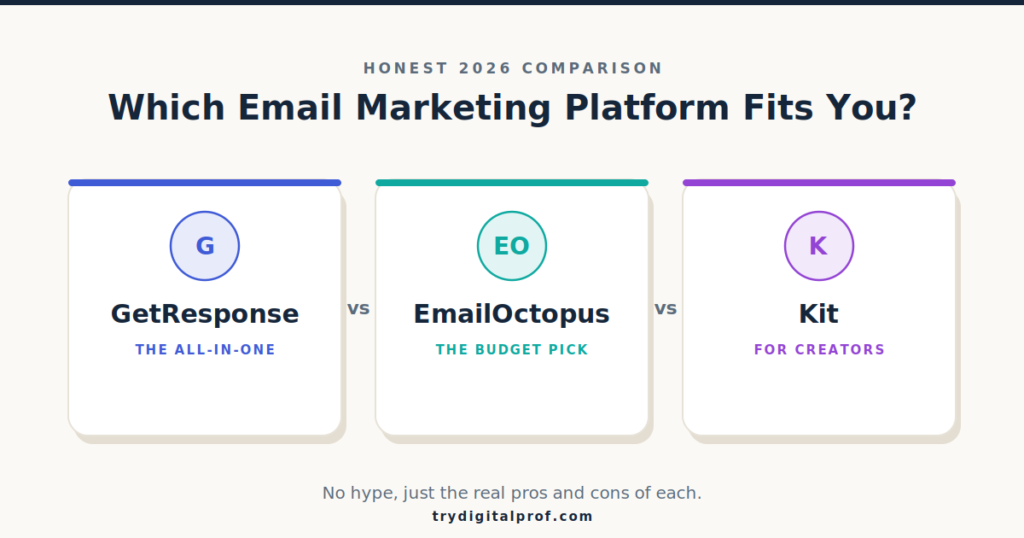
So you want to start (or fix) your email list, and you’ve narrowed it down to the three names everyone keeps recommending: GetResponse, EmailOctopus, and Kit.
Here’s the honest answer to “which one is best?” — it depends entirely on who you are.
These three tools look almost identical on the surface. They all send emails. They all build forms. They all promise automation.
But they’re built for completely different people. Pick the wrong one and you’ll either overpay for features you never touch, or outgrow it in three months and have to migrate everything. Both are painful.
So let’s skip the hype. Below is the real version of each — the good, the annoying, and exactly who each one is right for.
How we compared these tools: We looked at each platform’s current plans, dug through real user reviews on sites like G2 and Trustpilot, and verified every price and limit against each provider’s own pricing page (linked throughout). Numbers change often, so we tell you where to double-check rather than asking you to take our word for it.
How to Choose the Best Email Marketing Platform for You
Before we compare features, it helps to know what an email service provider actually does. Unlike a regular inbox, an email marketing platform handles bulk sending, list management, automation, and reporting in one place — and, crucially, keeps you out of the spam folder and on the right side of anti-spam rules like the FTC’s CAN-SPAM guidelines.
When you’re picking one, three questions matter more than any feature list:
1. How big is your list, and how fast will it grow? Some tools are cheap at 500 subscribers and brutal at 10,000.
2. Do you only need email — or a whole marketing suite? Landing pages, webinars, a store, automation… or just a clean newsletter?
3. Are you a creator selling digital products, or a business running campaigns? This single answer often makes the decision for you.
If you’re still mapping out your whole stack, our guide to the right tools for your online business is a good companion read before you commit.
Now, the three contenders.
EmailOctopus: The Budget Pick
EmailOctopus is the simplest of the three to understand. It does one thing — send emails — and it does it cheaply and well.
The free plan is genuinely generous: up to 2,500 subscribers and 10,000 emails a month at no cost. When you do start paying, pricing simply scales with your list size — no confusing tiers, with send limits set at roughly 10× your subscriber count. (Pricing changes often, so confirm the current rate on the official EmailOctopus pricing page before you commit.)
The Pros
- It’s cheap. Consistently one of the most affordable options around.
- It’s clean. If you can use Gmail, you can use this.
- Solid deliverability. It was originally built on top of Amazon’s email infrastructure (Amazon SES), which gives it a reliable sending foundation.
- Fast support. Users regularly report live-chat replies in seconds, not days.
The Cons
- The feature set is lean. Automation is fine for welcome emails and basic sequences, but it’s not built for complex, branching workflows.
- Reporting is limited on free. Your reports only go back 30 days on the free plan.
- Branding on free. Free-plan emails carry an EmailOctopus badge.
- Some integrations lean on Zapier. A good chunk of connections run through a middle layer rather than being native, so check your stack.
Who Should Skip EmailOctopus
If you need branching automations, a built-in store, webinars, or detailed long-term analytics, you’ll hit its ceiling quickly. It’s deliberately simple — that’s the point, and also the limit.
Who It’s Really For
The person who wants to send a clean newsletter without paying premium prices for features they’ll never open. If that’s you, it’s hard to beat.
GetResponse: The All-in-One Marketing Suite
GetResponse sits at the opposite end of the spectrum. Where EmailOctopus does one thing, GetResponse tries to do everything.
It’s an all-in-one marketing platform: email, automation, landing pages, webinars, a website builder, even a course creator — all under one login. There’s AI baked in for drafting emails, and it’ll even help manage your Meta and Google ads.
The free plan covers up to 500 contacts and 2,500 emails a month with a website builder and landing pages. Paid plans start at around $19/month for unlimited email sends — which is notable, since many rivals cap your volume at that price. (Confirm the current tiers on the official GetResponse pricing page, as they shift.)
The Pros
- Reach. You’re not just sending emails — you’re running webinars, building funnels, scoring contacts, and automating customer journeys from one dashboard.
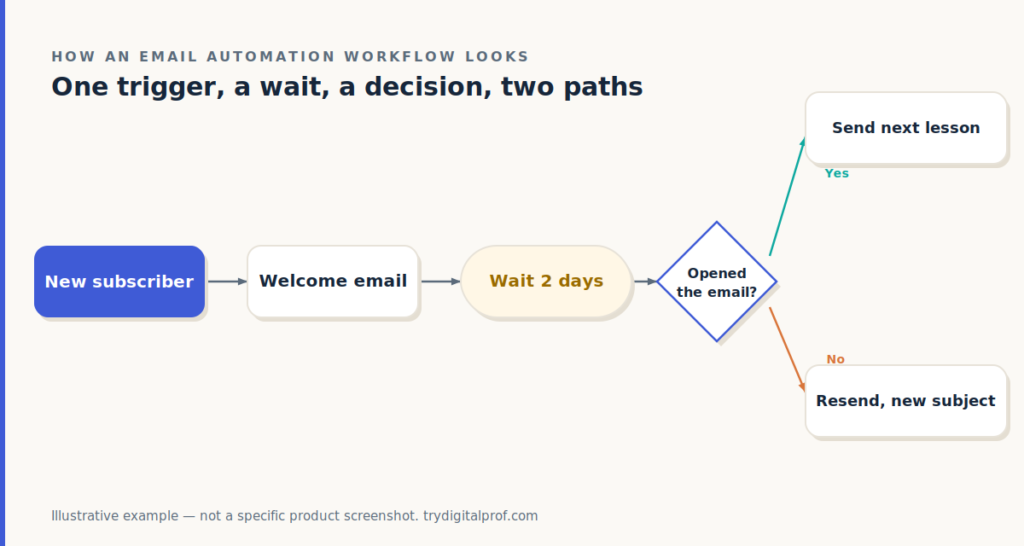
- Standout automation. The visual workflow builder is widely praised.
- Unlimited sends, even on the entry paid plan — something a lot of competitors don’t offer at that price.
The Cons
- Complexity. If you’re just starting out, all that power can feel heavy and overwhelming. There’s a real learning curve.
- A few rough edges. Some users find the email editor a little clunky.
- Cost climbs with your list. Tier limits can feel arbitrary, and bumping past a contact cap auto-upgrades you to the next (pricier) tier.
Who Should Skip GetResponse
If you only want to send a newsletter, you’ll be paying for — and navigating around — a dozen features you’ll never open. Minimalists will find it noisy.
Who It’s Really For
The person who wants their whole business running from one place and doesn’t mind climbing a small learning curve to get there. If you’re weighing an all-in-one suite against simpler picks, our breakdown of choosing better software for your business needs walks through that exact trade-off.
Kit (Formerly ConvertKit): The Creator’s Choice
Finally, Kit — which you might still know as ConvertKit (it rebranded in late 2024). This is the creator’s tool, built specifically for bloggers, course sellers, podcasters, and newsletter writers.
It has one feature that turns heads: the free plan supports up to 10,000 subscribers with unlimited emails — the most generous free tier of anyone here. It also includes built-in commerce, so you can sell digital products and paid subscriptions without a separate checkout, plus a sponsor network and free list migration if you’re switching over. (Check the official Kit pricing page for current rates.)
The Pros
- A huge free tier. 10,000 subscribers and unlimited sends at $0 is unmatched among the big names.
- Trusted deliverability that creators rely on.
- Powerful-but-friendly automations and a tidy ecosystem for selling.
The Cons
- It gets expensive fast. The number-one complaint from real users is price — paid plans start around $39/month for 1,000 subscribers and climb steeply as your list grows.
- It’s narrow on purpose. Run a traditional business that needs a broad marketing suite? This isn’t built for you.
- Quirks to test. Some creators report newsletters can look off in dark mode — test before you send.
- Selling fees. There are transaction fees on anything you sell through it, on top of your subscription.
Who Should Skip Kit
If you run a local business, an agency, or anything that needs a broad marketing suite rather than creator-style monetization, Kit will feel both narrow and overpriced as you grow.
Who It’s Really For
A creator who’ll actually use the built-in selling. Just go in knowing it sits at the premium end once you outgrow that free tier. For more on matching a tool to a creator workflow, see our roundup of essential software for creators.
EmailOctopus vs GetResponse vs Kit: Quick Comparison
| EmailOctopus | GetResponse | Kit (ConvertKit) | |
|---|---|---|---|
| Best for | Simple, cheap newsletters | Running a whole business | Creators who sell |
| Free plan | 2,500 subs / 10k emails | 500 contacts / 2,500 emails | 10,000 subs, unlimited emails |
| Paid starts ~ | ~$9–10/mo | ~$19/mo | ~$39/mo |
| Automation | Basic | Advanced (visual builder) | Powerful, creator-friendly |
| Extras | Just email | Webinars, site builder, ads, AI | Built-in store, sponsor network |
| Learning curve | Very easy | Steeper | Easy |
| Watch out for | Lean features | Complexity & cost | Price as you scale |
Pricing moves around — always confirm the current numbers on each provider’s official page before you buy.
Final Verdict: Which Email Marketing Platform Should You Pick?
Let’s make this simple.
Choose EmailOctopus if you want cheap, clean, and fast support — just a great newsletter without overpaying. It’s the no-nonsense pick.
Choose GetResponse if you want one platform to run your whole operation and you’re willing to climb a small learning curve. It’s the most complete tool here, and it grows with you.
Choose Kit if you’re a creator who’ll actually use the built-in selling — just know it gets pricey as you scale, and test your emails in dark mode first.
For most people — beginners building a first list, or operators who want room to grow — the real question is how much tool you actually need. Simple and cheap, complete and powerful, or creator-first.
Pick based on where you’re headed, not just where you are today. And remember: all three offer a free plan or trial, so the smartest move is to open an account, send yourself a test campaign, and see which interface you actually enjoy using before you pay a cent.
If you want help thinking that through, our guide to building smarter online is built for exactly this decision.
Frequently Asked Questions
Which email marketing platform has the best free plan?
For raw subscriber count, Kit wins — up to 10,000 subscribers with unlimited emails. EmailOctopus (2,500 subscribers / 10,000 emails) is the better free plan if you want more usable sending features without strict automation limits.
Is EmailOctopus better than Kit?
It depends on your goal. EmailOctopus is cheaper and simpler for plain newsletters. Kit is the better fit if you’re a creator who wants to sell digital products and run creator-style automations.
Is GetResponse good for beginners?
GetResponse is beginner-friendly but feature-heavy. The drag-and-drop builders are intuitive, but the sheer number of tools can feel overwhelming at first. If you only want email, it may be more than you need.
Did ConvertKit change its name?
Yes. ConvertKit rebranded to Kit in October 2024. The product, team, and pricing carried over — only the name changed.
Can I switch platforms later if I pick the wrong one?
You can, but it’s a hassle — you’ll re-export your list, rebuild automations, and warm up deliverability again. That’s exactly why it’s worth choosing based on where your list is heading, not just its size today. Kit even offers free migration if you’re moving over from another tool.